How to find elevation on Google Earth
Google Earth Pro, the free desktop program, shows the elevation under your cursor and can graph elevation along any path you draw.
Updated · By Ankit Kumar
Only need the elevation where you are standing? Find your current elevation from your device location, no download needed.
Read the elevation of one point
- Install and open Google Earth Pro on your computer.
- Search for the place in the box at the top left.
- Hold the cursor over the spot. The status bar at the bottom of the map shows its coordinates and elev, the ground elevation.
Draw an elevation profile along a path
- Click Add Path in the toolbar above the map, then click points on the map to trace your route.
- Give the path a name if you like and click OK.
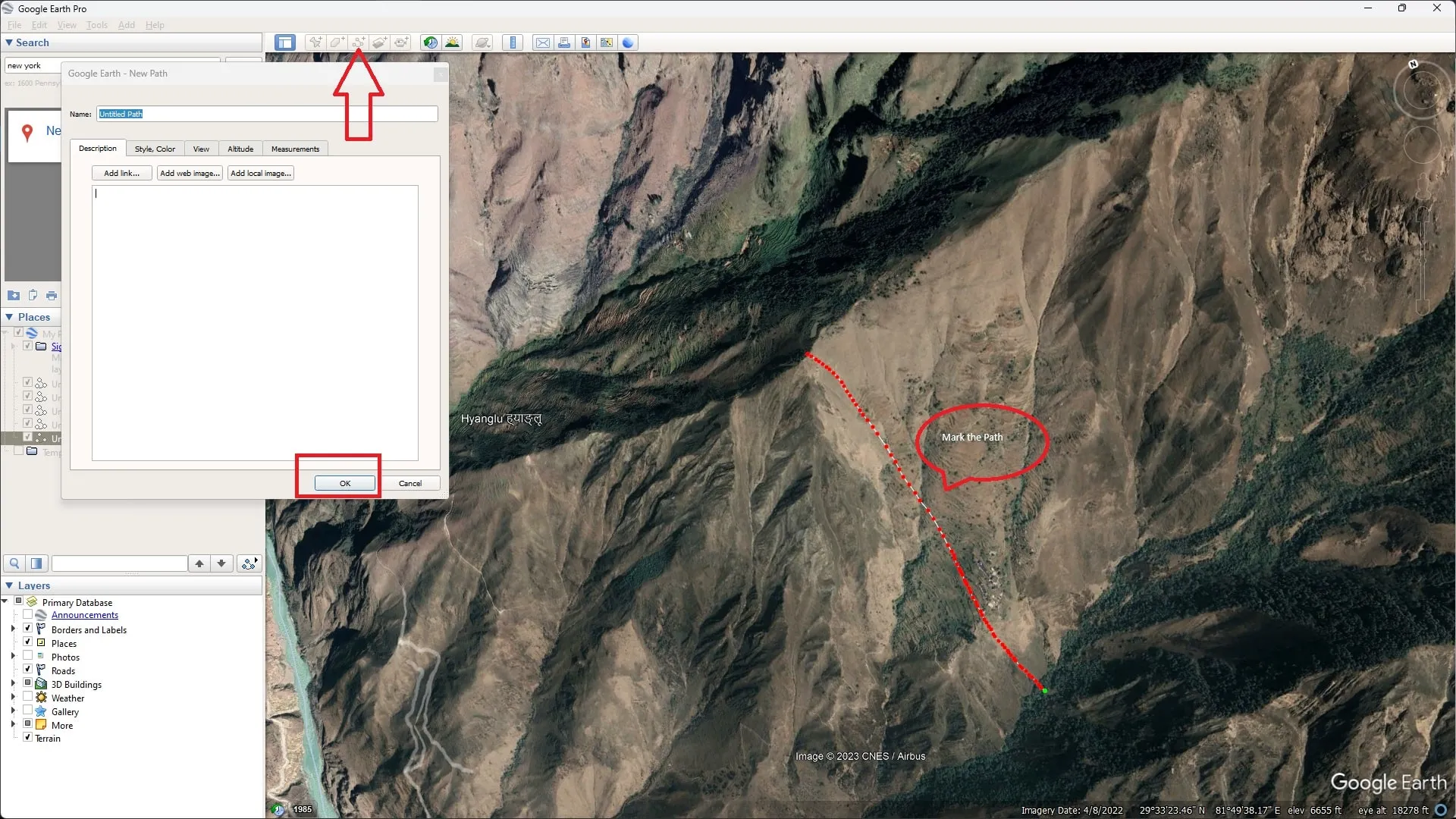
- Select the path in the Places panel, open the Edit menu and choose Show Elevation Profile.

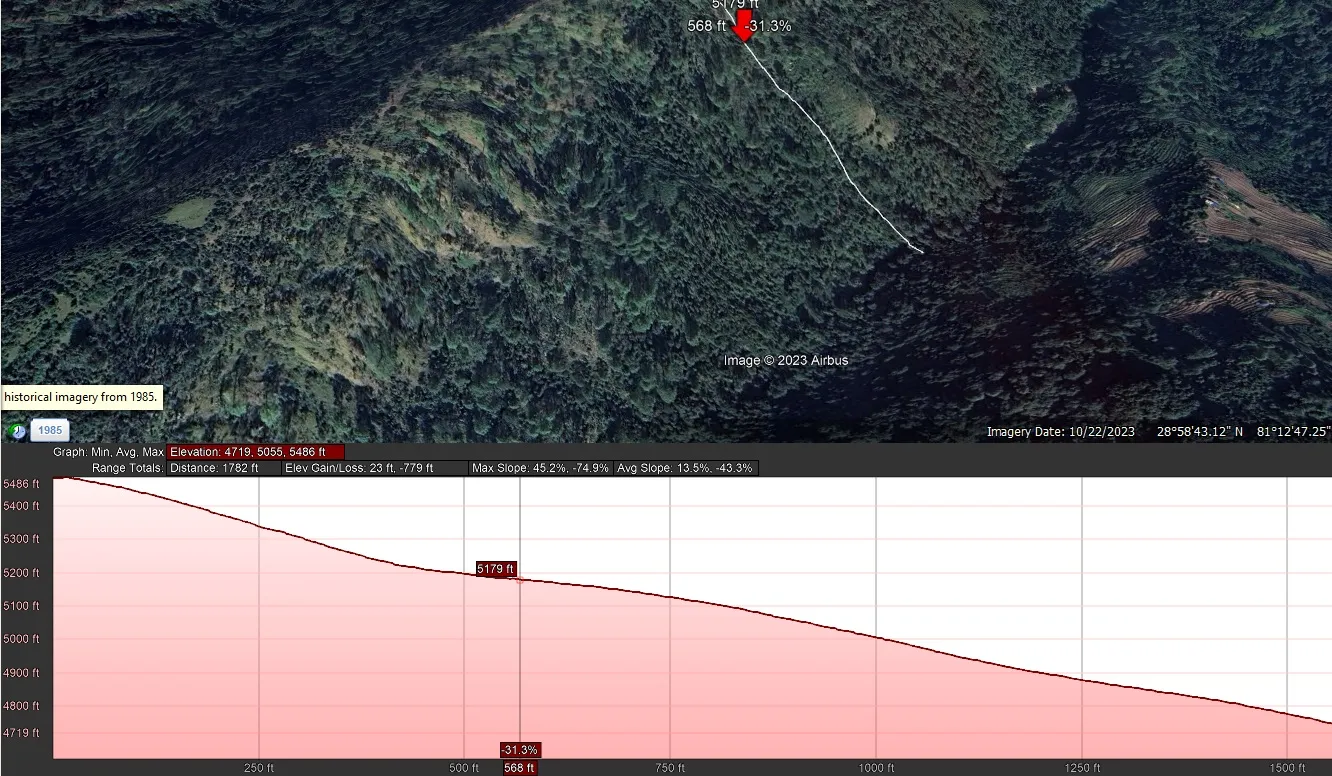
- A graph opens under the map. Move along it to read the elevation at any point; the summary shows the range, gain and loss.
Google Earth on the web
The browser version of Google Earth did not offer the elevation profile when these screenshots were made, which is why this guide uses Google Earth Pro.
Other ways to get elevation
- Elevation by address: type a US address, get the USGS value.
- Elevation from latitude and longitude: paste coordinates, or up to 100 points at once.
- Google Maps Terrain view: contour lines in hilly areas.
Screenshots taken in 2023; menus can change between Google Earth Pro versions.