How to find your elevation on iPhone
The iPhone Compass app shows your elevation at the bottom of the screen. If it is missing, Compass needs permission to use your location.
Updated · By Ankit Kumar
Steps
- Open the Compass app.
- Read your elevation at the bottom of the screen, under the coordinates.
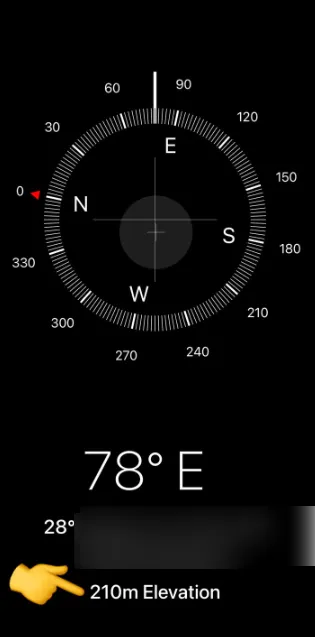
Compass shows only the spot where you are. For any other place, use elevation by address or elevation from coordinates.
Elevation not showing? Allow location access
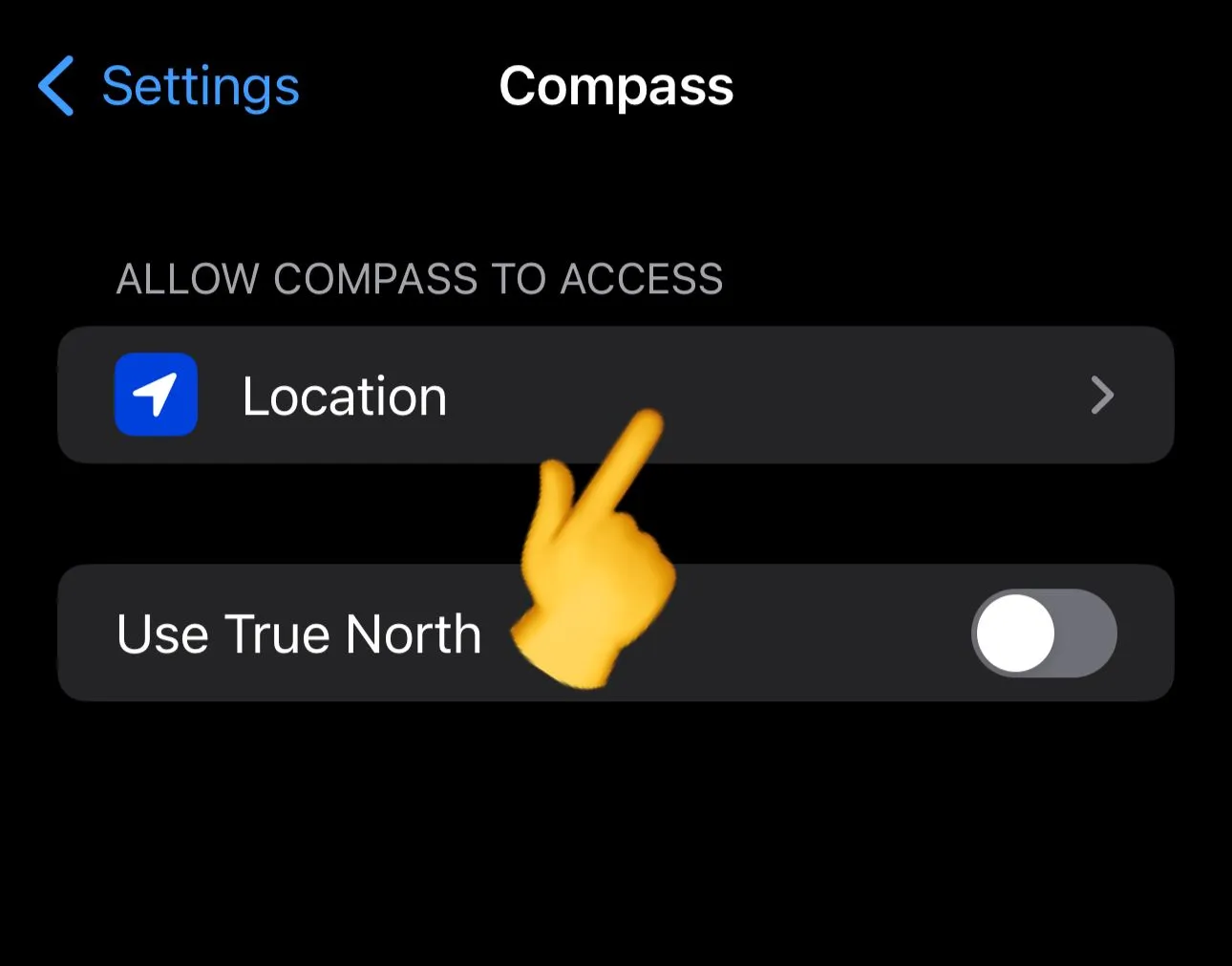
- Open Settings and tap Compass.
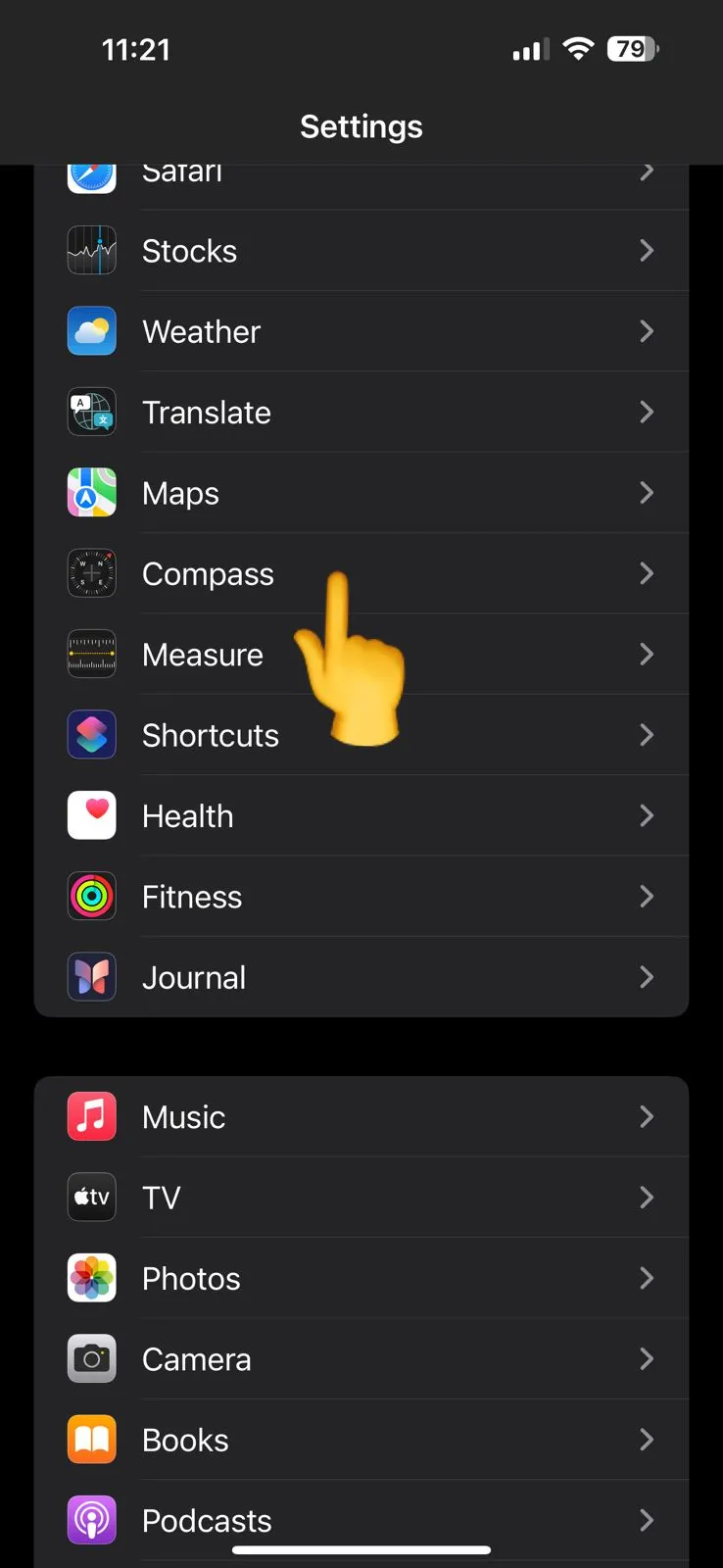
- Tap Location.
- Choose While Using the App, and turn on Precise Location.
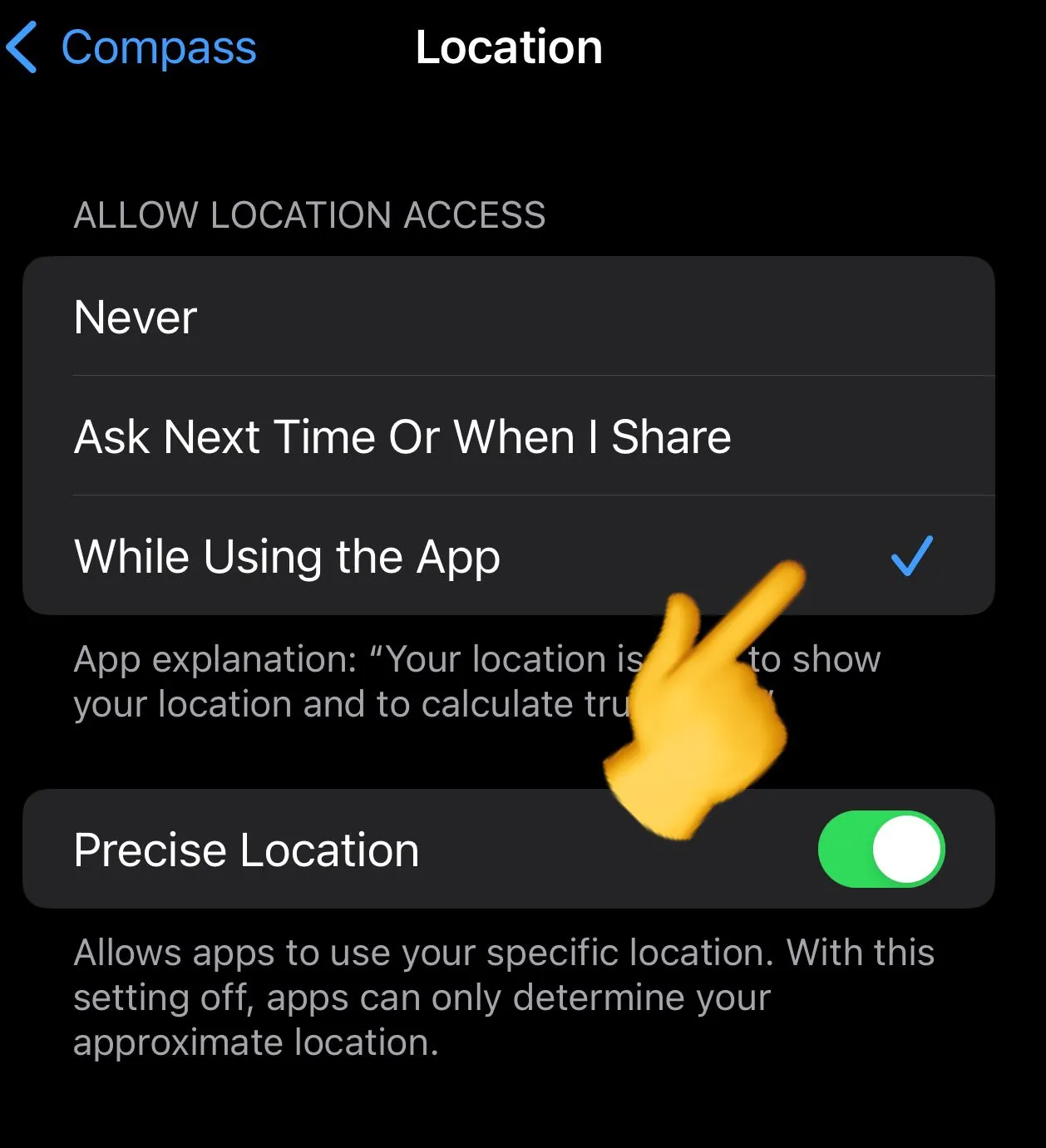
Open Compass again and the elevation line appears.
Check it against USGS
On iPhone, Safari or Chrome can share your location with our elevation finder, which shows the USGS ground elevation for that point in feet and meters, with an accuracy note. Related tools: air pressure at elevation, boiling point at elevation, your latitude and longitude.
Screenshots taken in 2024; Settings labels can change between iOS versions.